Current Activity

As I have not updated this blog for quite some time I thought I would just list some of the things I am up to at the moment.
 
The main thing I am doing is running TOPS-20 on SIMH. I have BASIC-PLUS-2 installed on it. I have the listing of a program I wrote in the late 1970s when I was at school, and I am slowly retyping it in so that I can get it running again. The one frustration I have at the moment with SIMH is that the actual date and time falls behind quite badly. I think this may be to do with some of the idling settings I have set, I really need to look at that. The thing that really impresses me is that TOPS-20 has no problems with dates after 2000.
 
I would love to find the ALGOL68C compiler I used to use on the DEC-20, I still have some ALGOL68C listings too.
 
I have two VAXstation 3100 Model 38s, one with an expansion storage box. I also have several VAXstation 4000 VLCs, although two of them have developed a power supply fault and I am beginning to wonder if I have used hard disks that require too much power. I am running VMS 7.3 under the hobbyist license on all these systems, but only tend to keep one of them switched on. I am in the gradual process of compiling and setting up SSH.
 
I have a TK50Z drive which I wanted to use to recover a TK50 tape from, but when I finally got the drive working I could not find the tape! Still, I used it to restore some tapes for a colleague who used VAX in the distant past too. I have recently acquired a TZ87 which I have yet to test and a TK70 which I later realised I could not use as it does not have a SCSI interface.
 
I also have an Alpha, a DEC 2000 Model 300 AXP (aka Jensen). I only switch this on occasionally, but it is the fastest of the machines I have.
Posted in Retro-Computing | 1 Comment

Getting a DECserver 200/MC Working


Recently I was given an old DECserver 200/MC. This is a device that connects serial ports on the DECserver over an Ethernet LAN to one or more VMS computers. It uses a protocol called LAT, which stands for Local Area Terminal. When I used VAXen many years ago I remember using LAT to connect from a terminal to various machines.

This particular DECserver has 8 25-pin serial ports and an AUI connector for the LAN. I found some information somewhere on the web that told me the first serial port was the console port, so I connected a VT420 to it and plugged in the power (there is no on/off switch). I got nothing on the screen. Then I connected the console port to my Windows PC and ran my terminal emulator, when I did this I got some garbage characters. I checked the serial line settings on the VT420 and on my PC, they were both set to 9600,N,8,1. At this point I was beginning to suspect a faulty DECserver.

Then, thanks to a posting on comp.os.vms, I discovered that there is a way to reset the DECserver to factory settings. To do this I pressed and held the reset button while I powered on the DECserver, I held the button down for a good 30 seconds and then let go. After that the console port burst into life. I learned several things at this point: The DECserver serial line settings can be changed, it can remember the settings for a very long time without power (I am guessing it uses NVRAM rather than a battery), and my VT420 is faulty!

I could now see from the console that the DECserver was trying to download firmware. It seems that the DECserver does not have all the software onboard. Instead it uses MOP (Maintenance and Operations Protocol) to download the firmware from a computer on the network. So my next challenge was to get it to do this. I went down some blind alleys before getting this right. Allow me to explain.

I found a Hoffman Labs web page at http://64.223.189.234/node/183 (please don’t ask me why the URL uses an IP address, I don’t know) that explained how to set up DECservers and I noticed that it mentioned DECnet. So, the first thing I did was to go and find out how to set that up. At first I thought I would use the most recent version, which is Phase V, but I found it somewhat impenetrable, and on the advice of experts on comp.os.vms, I decided to switch back to Phase IV instead. Phase IV is much easier to install, configure and maintain, and I am also told it uses a lot less memory.

The blind alley that I went down was that I did not apparently need to configure DECnet at all (I mean get it to the point where I can use SET HOST etc), but some DECnet components are used (in Phase IV at least). Nevertheless I decided to set up DECnet anyway and will add a blog entry about this another day. I am not sure what the minimum necessary steps are, I suspect that it might be to just install DECnet and then change SYSTARTUP_VMS.COM to uncomment the START/NETWORK DECNET line, but I have not tried this. One other thing to be aware of is that if, like me, you are also using TCP/IP, then you must not be running TCP/IP at the time that you start DECnet, and indeed this is the order in which things are done in SYSTARTUP_VMS.COM. This is apparently because DECnet Phase IV wants to change the physical address of the network interface to a number derived from SCSSYSTEMID, which is also related to the DECnet address.

So, now that I had DECnet up and running, I needed to set things up so that the DECserver could find and download the firmware. The Hoffman Labs web page http://64.223.189.234/node/232 lists the file names for various DECservers, including mine, which is PR0801ENG.SYS. I discovered, thanks once more to Hoffman Labs, that I needed to install a layered product to get this file, the product name is DECserver 200 for VMS and I found that the package was in directory DS2033 on disc 4 of a 1999 set of Software Product Library CDs. The command I used to install the package was:

$ @sys$update:vmsinstal ds2033 dka400:[ds2033.kit]

Once it was installed I had to run @SYS$COMMON:[DECSERVER]DSVCONFIG.COM. I selected the option Add a DECserver and then answered the questions as follows:

DECserver type? DS200
DECnet node name for unit? DS200
DECnet node address for unit? 13.1
Ethernet address of unit? 08-00-2b-11-c6-88
DECnet Service Circuit-ID [SVA-0]?

Of course you need to enter the MAC address printed on the back of your own DECserver. I also chose a DECnet address using an area different to all the other machines on my DECnet network (they all use area 1, I chose area 13).

At this point I turned on the DECserver, hopeful that it would now download the firmware. However, it still said that it could not download it. There were no OPCOM messages on the VAX console. So after another post to comp.os.vms I realised that I had to look in SYS$MANAGER:OPERATOR.LOG. Sure enough there were some error messages, here is what I found:

From node 1.1 (VAX1),  1-SEP-2007 21:21:07.94
Circuit SVA-0, Line open error, File open error, Load file
%MOM-E-OPENIN, error opening SYS$COMMON:[MOM$SYSTEM]PR0801ENG.SYS; as input
-RMS-E-FNF, file not found
Node = 13.1 (DS200), Ethernet address = 08-00-2B-11-C6-88

So DSVCONFIG did not set things up so that the firmware file could be found. It seems that this is because the DECserver software I have predates the MOM system that I appear to be running. The solution therefore was to add the directory containing the firmware to the MOM search list, so I added the following line to SYSTARTUP_VMS.COM:

$ DEFINE/SYSTEM MOM$SYSTEM_SOFTID MOM$SYSTEM, MOM$LOAD, SYS$COMMON:[DECSERVER]

Once I did this the DECserver was able to download its firmware at long last! Now all I needed to do was to set up LAT, which would allow me to use the DECserver to connect to any of the VAXen on the LAN. Again I went down a blind alley at first, thinking that I would have to tell the DECserver which VAXen it could connect to. But it turned out to be much simpler than that, all you need to do on the VAXen is to start LAT on each one with the following command:

@SYS$STARTUP:LAT$STARTUP.COM

And that is it, apart from making sure that this too was in SYSTARTUP_VMS.COM. Now from the DECserver I could list the nodes and services using SHOW NODES and SHOW SERVICES and just issue a CONNECT <service name> and I was in!
Posted in Retro-Computing | 2 Comments

Resetting the SYSTEM Password on a VAXstation 4000 VLC

I recently needed to reset the SYSTEM password on my VAXstation 4000 VLC. I found some material on the web which helped, specifically the following http://www.people.vcu.edu/~agnew/MVAX/MVAX_FAQ_TEXT.HTML and http://h71000.www7.hp.com/doc/83final/ba322_90045/apas01.html. The procedure I followed was:
 
Step 1
 
Get to the >>> boot prompt by pressing the reset button and then enter:

>>> B/1

 
If you need to boot from the non-default device then just add that to the end. This command will start an conversational (interactive) boot and bring you to the SYSBOOT> prompt.
 
Step 2
 
Enter the following commands:
 
SYSBOOT>SET/STARTUP OPA0:
SYSBOOT>
SET WINDOW_SYSTEM 0
SYSBOOT>SET WRITESYSPARAMS 0

SYSBOOT>
CONTINUE
 
The first command will tell VMS to take the system boot commands from the console. The second prevents the Windows system from starting and the third ensures that the changes are not made permanent.
 
Now wait for the $ prompt
 
Step 3
 
Enter the following commands:
 
$ SET NOON
$ SPAWN
$ @SYS$SYSTEM:STARTUP
 
SET NOON prevents a mistyped command causing an error that will log you out. The SPAWN is needed to prevent you being logged out once the startup completes.
 
Wait for the startup to complete. You will see a logout from the spawned process and a message that the spawned process has terminated, returning you to the process from which you spawned.
 
Step 4
 
Enter the following commands:
 
$ SET DEF SYS$SYSTEM:
$ R AUTHORIZE
UAF> MODIFY SYSTEM/PASSWORD=<NEW PASSWORD>
UAF> EXIT
$ @SYS$SYSTEM:SHUTDOWN
 
The system can now be rebooted and it will have the new SYSTEM password.


Posted in Retro-Computing | Leave a comment

Headless VAXstation

I have a VAXstation 3100 M38 which I have recently set up. All I have is the base unit and an expansion storage unit, I do not have the monitor, keyboard or mouse. In the first instance I had the machine connected to my PC. To do this I had to put the S3 (Alternate Console Switch) in the UP position and then connect the printer port to a serial port on my PC using a DECconnect cable and an adapter to connect it to my PC’s serial port. This makes the machine into a VAXserver rather than a VAXstation. With this in place I was then able to use HyperTerminal to get to the machine’s console, install VMS etc.
 
After setting up the machine in this way I was fortunate to be able to acquire a real VT220, with a keyboard. This meant that the machine no longer needed to be near my PC in order for it to work and I was able to move it to a more convenient location, and I now access it using Telnet.
 
The problem is that if you switch off the terminal, it sends a break signal to the serial port, which causes the machine to go back to the boot console. This means that the terminal needs to be left switched on in order to keep the machine operational. I don’t want to do this because I don’t want to use unnecessary power and I don’t want to risk any screen burn. The VT220 does not use that much power and I could turn down the brightness, but I still would prefer not to need the terminal and make the machine headless.
 
It turns out that there are two ways to achieve this.
 
The first method is to leave the alternate console switch in the UP position, but disconnect the DECconnect cable from the terminal before switching off the terminal.
 
The second option is to put the alternate console switch in the DOWN position (which is the default) and connect the VT220’s keyboard to the VAXstation keyboard port. This makes the machine think it is a VAXstation (rather than a VAXserver) and that a display is attached. The machine booted but of course I could not see the console (I did not try connecting the display only to the printer port to see what happens in that case).
 
Both methods work, but I think I prefer the former because it means that I can see the console if I have to.
 
My thanks to the people on the comp.sys.dec newsgroup for helping me out with much of the information that is in this posting.
Posted in Retro-Computing | 1 Comment

Copying VMS BACKUP and text files from CD-ROM

I had some Pascal and other text files that had been stored on a magnetic tape and also some BACKUP savesets from VAXen that I used in the 80s. Some years ago I had all these transferred to CD-ROM. Now that I have VMS running under SIMH I tried to use these files and found that they all appeared to be illegible.
 
It turned out that in the transfer process all the file attributes had been lost. I was able to see this with a DIR/FULL which showed the following:
 
Record format:      Undefined, maximum 0 bytes, longest 0 bytes
Record attributes:  None
 
For the BACKUP saveset there is a freeware utility called RESET_BACKUP_SAVESET_FILE_ATTRIBUTES.COM which reads the block size from the saveset and then sets the file attributes accordingly. After using this command I was able to restore the BACKUP savesets and get all my files dating back to 1983! 
 
For the text files that had not been stored in BACKUP savesets, I was able to restore their attributes using the following command:
 
SET FILE/ATTRIBUTE=(ORG:SEQ,RFM:VAR,RAT:CR)
 
This allowed me once again to see my old code and text files in all their glory.
Posted in Retro-Computing | Leave a comment

My Introduction to Retro-Computing

This is my first attempt at establishing a blog. Up to now I have hesitated because I want it to be something that has the potential to be useful to others. In recent months I have revitalised my interest in DEC computers.
 
I was at school in the late 1970’s when my Mathematics teacher got the father of one of my fellow pupils to do a short after-school course on computers. I went along and that is how I got hooked. The first computer I ever used was at the Trent Polytechnic (now the Nottingham Trent University), I think it was a PDP-11/70 running RSTS/E. I wrote some very simple BASIC programs. At the time I was very naive about computers and thought they knew everything, so I was very disappointed when I typed in "PRINT ELECTRO-CHEMICAL-SERIES" (something I had been studying in Chemistry at the time), and it responded "?WHAT" or something similar. This is when I realised that computers were really pretty simple devices.
 
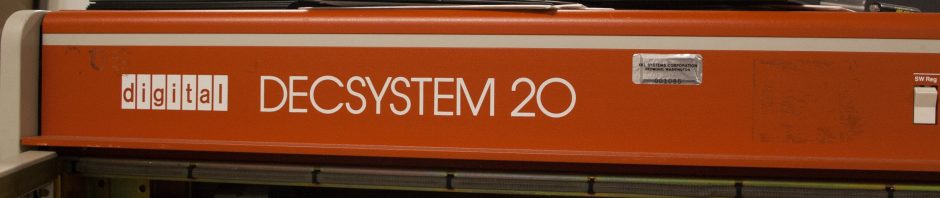
Shortly after these first experiences, in the summer of 1978 the Polytechnic installed a brand new DECSYSTEM-2050 (or just DEC-20) running TOPS-20 (V3?). I think it had 256K words of memory and a KL-10 processor. This is the system on which I really cut my programming teeth and I shall be forever grateful to the staff at the Polytechnic who helped and supported me. I mostly programmed in Basic Plus 2, but I also taught myself Fortran, Macro and Algol68 (we had a port of the Algol68C compiler, if anyone has a copy of this do let me know).
 
A couple of years later I went to University where I used a variety of machines, but eventually I got to use the DEC VAX (an 11/780) running VMS. I did my M.Sc on this machine and my professional programming career really started on the VAX and the MicroVAX. I used mostly Pascal and some Fortran on these machines.
 
I went through a spell of using HP-UX, but nowadays I program on the Windows platform and use .NET, which I think is great. However, I have always missed the old DEC technology and wanted another chance to use it again.
 
A little while ago I discovered the excellent SIMH simulator (see http://simh.trailing-edge.com/) and since then I have been busy getting a simulated TOPS-20 system up and running. Recently I acquired a real VAXstation (3100 M38) and I am also starting to use SIMH to simulate a VAX. I suppose it is my version of a mid-life crisis.
 
This section of my blog is all about my adventures in getting these environments up and working.
Posted in Retro-Computing | Leave a comment

Migrating from Intuit Quicken to Microsoft Money

I have been a user of Quicken  since 1994, finally (in 2006) I decided it was time to move to Money, now that Quicken has been withdrawn from the UK. I was using Quicken 2000 Deluxe and made the conversion to Money 2005. After hitting a few snags I decided to keep some notes of what was involved, but I may have missed some of the things I had to do earlier in the process. What follows is a list of the problems I had and what I did to solve them.
 
The first and most serious one was with my base currency, which is the British Pound. In my Quicken file it was listed as "Pound". When I tried to convert this it did not recognise my base currency and asked me what currency to use, I selected “British Pound”, it then asked me for an exchange rate. After that Money hung. I resolved this by changing the name of the currency in Quicken to "British Pound". After that I was able to convert the file without hitting this problem.
 
I then encountered another currency problem. At one time I used to live abroad and had a currency denominated in "Lire", the now defunct Italian currency. When I converted the file it did not recognise the currency and again asked me for a new currency to use. The Italian Lira was not in the list, so I selected Euro instead. This did not ask me for an exchange rate, so it kept the numerical amounts the same, so 1 million lira (about 400 pounds) became 1 million Euro (I wish!). To get around this I changed the currency in Quicken to "Italian Lira" and then the file converted correctly, even though this currency is not listed in the currency list.
 
I discovered a problem with Quicken categories which had the same name as Money categories. Any transactions that used these categories would be uncategorised after the transfer. To resolve this I added a letter Q to the end of every category I had in Quicken. This allowed me to easily see which categories were Money ones and which were Quicken ones transferred over. I was unable to do this for certain built-in categories (like _AccruedInt). More on this below.
 
I found that all my shares had been converted to managed funds. This had to be resolved by changing the security type in Quicken from "Share" to "Shares" and then converting the file again. Before doing this I made sure that all the symbols for all my shares and funds were correct. This is supposed to ensure that the price histories transfer correctly. I had two FTSE indices set up as managed funds in my Quicken file so that I could compare performance against indices. Money has a separate category for indices.  However I was unable to find a way to transfer the FTSE indices and their price histories to Money except as managed funds; in other words I could not convert them to indices in Money.
 
At one time I had used the Quicken savings goal feature, this caused my affected accounts not to appear to have the same balances after conversion. I found it easiest to delete the savings goal before converting.
 
After conversion I had to make a number of other changes that did not transfer across. These were the following:
 
I had two standing orders which I had deleted some years ago re-appear in the direct-debit/standing order list. I had to delete these. I had been having problems with the standing order list in Quicken 2000 with occasionally reporting out of memory errors but seemingly updating the standing orders. I think this led to some corruption that even a super validate seemed unable to clear. Nevertheless there were only two such payments to delete, so that was OK.
 
More bothersome was that all my standing orders and direct debits converted to manual write cheque transactions, I had to change them all manually to be direct debits again. A similar thing happened to my  automatic deposits.
 
Another irritation was that any standing orders that had a split were transferred incorrectly. The split details were entirely wrong, although they summed to the right amount.  I had to delete the details and re-do them (fortunately there were only two or three).
 
I like the categorisation scheme used in Money so I decided to move all categories over to the Money scheme, with some minor tweaks. Having added the Q suffix to all my Quicken categories prior to conversion, I could easily identify the categories to re-categorise. It was then easy, if a little tedious, to move the old Quicken categories to the Money categories. Money has a nice feature which allows you to see the transactions belonging to each category to help reassign the categories, and delete any unused ones such as those that  Quicken had built-in.
 
After a while of using Money I noticed that a number of my accounts were reporting the incorrect reconciled balances. This appeared to have to do with Quicken Savings Goals and some other transfers (mostly to investment accounts). I had a bit of a tough time getting things right again.
Posted in Computers and Internet | Leave a comment